Are you ready to let visitors upload files, browse whole folders, play videos or approve photos right on your website? You can easily unlock all of that by adding DriveHub Pro to your site.
DriveHub Pro is a separate plugin that works next to the free DriveHub plugin. You keep the free plugin installed, add Pro on top, and every Pro feature unlocks in the same screens you already know. Nothing you built with the free plugin changes.
Here is an easy, step-by-step guide to help you get Pro up and running!
Step 1: Choose Your Plan and Check Out #
Start from your WordPress dashboard:
- At the top right of any DriveHub screen, click on the Upgrade button.
- Pick the plan that fits the number of websites you want to use DriveHub Pro on.
- Fill in your name, email address and payment details in the checkout window, then complete the purchase.
Payments are handled by Freemius, our secure checkout partner.
Tip: Not sure Pro has what you need? Read What Is the Difference Between DriveHub Free and Pro? first.
Step 2: Download DriveHub Pro #
When the payment goes through, you receive an email from Freemius with two things you need next:
- your license key
- a link to download the DriveHub Pro plugin as a
.zipfile
Download the .zip file and save it on your computer. Do not unzip it.
Keep that email somewhere safe. Your license key is private, so never share it in screenshots or support forums.
Step 3: Upload and Install DriveHub Pro #
Now add the Pro plugin to your website:
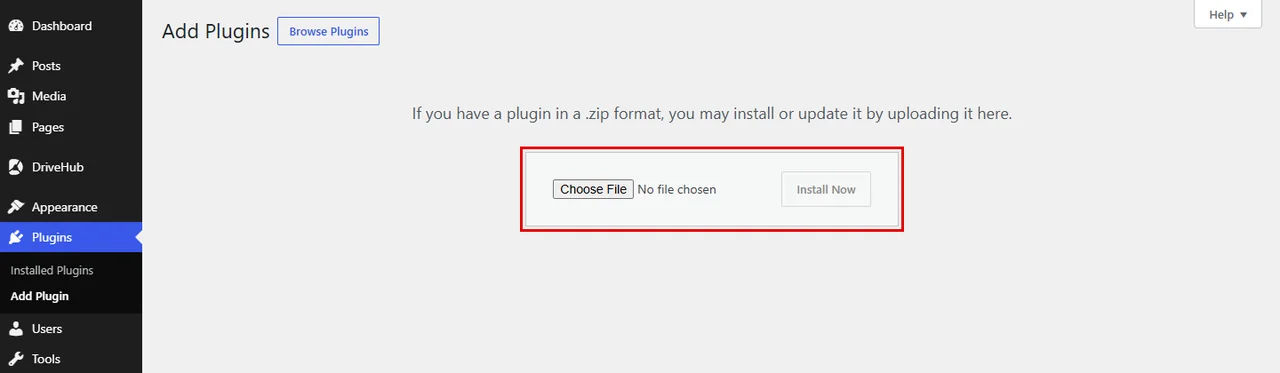
- Go to Plugins > Add Plugin from your WP-Admin.
- Click on Upload Plugin at the top of the screen.
- Click on Choose File and select the DriveHub Pro
.zipfile you downloaded. - Click on Install Now.
Note: Keep the free DriveHub plugin installed and active. DriveHub Pro needs it to run.
Step 4: Activate DriveHub Pro #
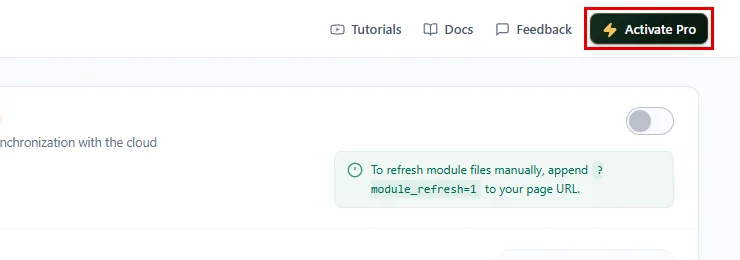
Once the plugin is installed, it has to be switched on. DriveHub reminds you about this: while Pro is installed but not active, the button at the top right of every DriveHub screen changes to Activate Pro.
- Click on Activate Pro, or go to Plugins > Installed Plugins.
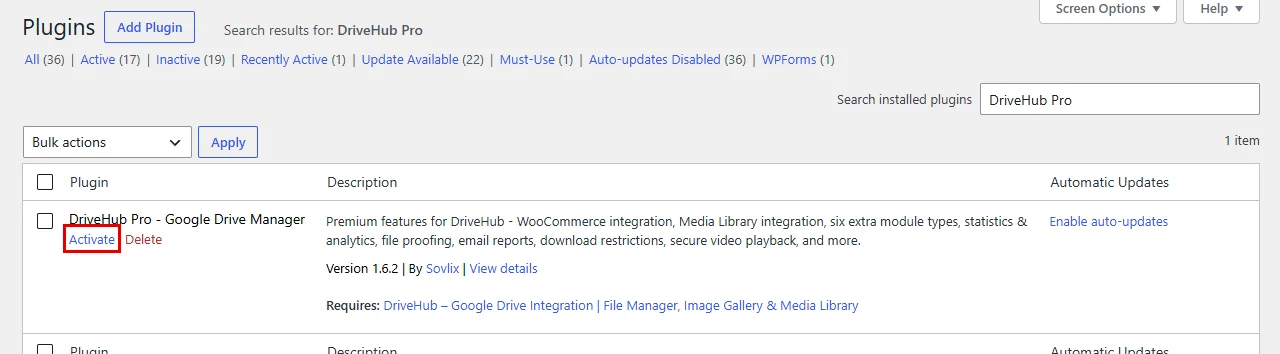
DriveHub takes you to your plugins list, already filtered to DriveHub Pro – Google Drive Manager:
- Click on Activate under DriveHub Pro – Google Drive Manager.
Step 5: Enter Your License Key #
Right after you activate the plugin, Freemius asks for your license. You will see a short screen that says Please enter the license key that you received in the email right after the purchase: with one field below it:
- Copy the license key from your purchase email from Freemius. You can also find it in your Freemius customer account, where every purchase lists its key.
- Paste it into the License key field.
- Click on Agree & Activate License (or Activate License if your site is already connected to Freemius).
Lost the email? Click Can’t find your license key? under the field, type the email address you used for the purchase and click Send License Key. Freemius sends the key to you again.
Tip: Skipped this screen? Go to DriveHub > Account and click Activate License to open it again.
Step 6: Check That Pro Is Active #
Pro is now running. You can see it right away:
- The Upgrade button at the top right of DriveHub screens is gone.
- Every Pro setting can now be changed, like Theme Color, Secure Video Playback or Files per Load.
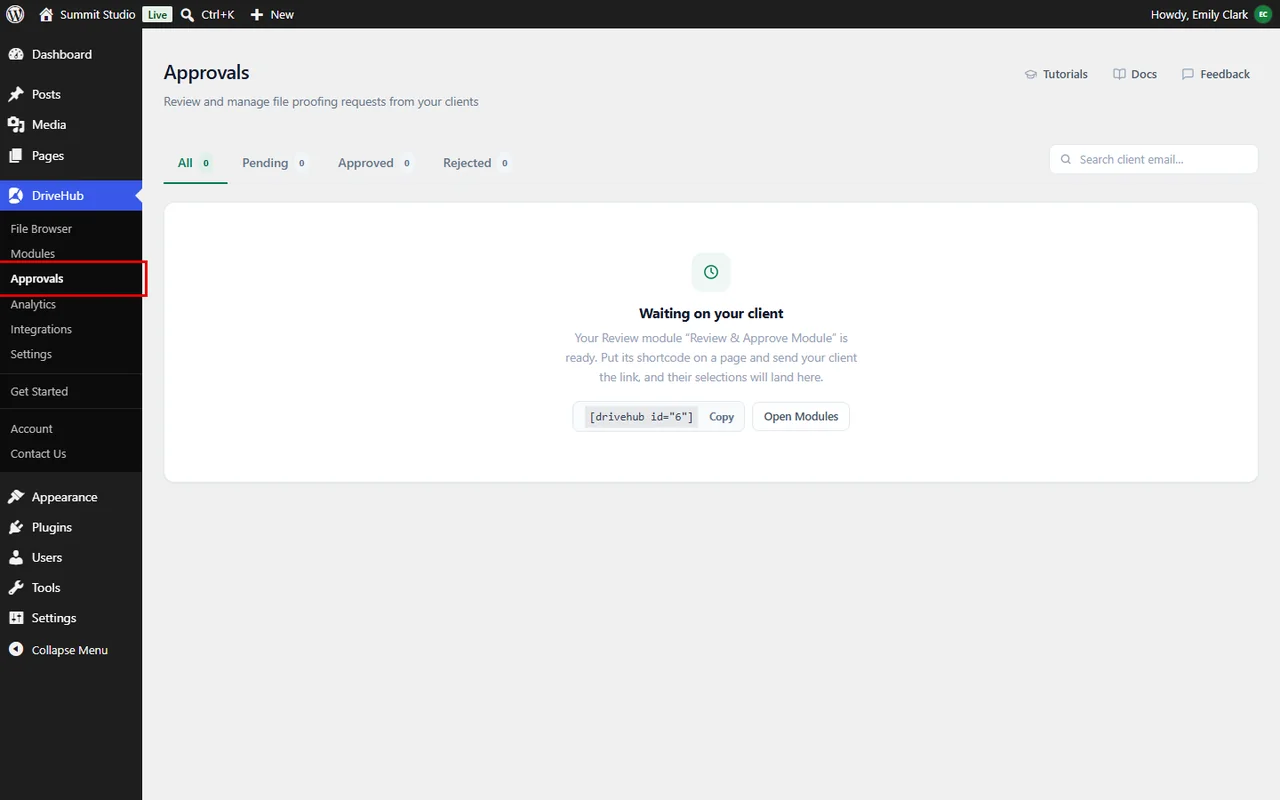
- DriveHub > Approvals and DriveHub > Analytics open their full screens.
- The Pro module types, such as File Uploader, File Browser and Media Player, can be picked when you click Add module.
To double check your license, go to DriveHub > Account. The Version row shows a green Premium version label, and your license is listed under License Key.
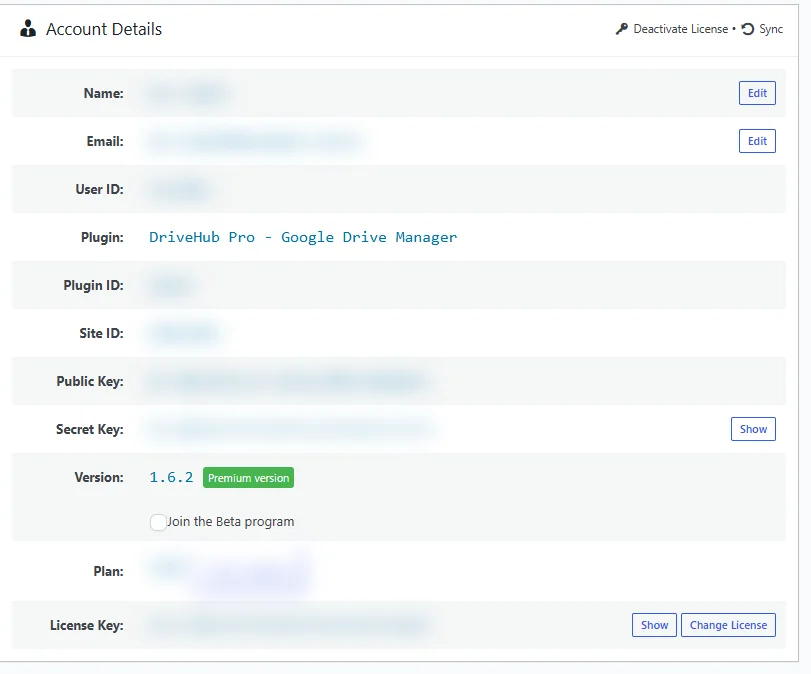
And that’s it! DriveHub Pro is installed and your license is active. Your existing modules, settings and connected Google accounts stay exactly as they were, and every Pro feature is ready to use.
Benefits of Upgrading to DriveHub Pro #
- More module types: Add a file browser, an uploader, a media player, a slider, a search box or a review and approve module.
- Collect files: Let visitors and form users send files straight to your Google Drive.
- Private folders: Give every registered user their own Google Drive folder.
- Know what works: See downloads, views and uploads in Analytics, with email reports.
- More control: Set download and bandwidth limits, auto sync and secure video playback.
With DriveHub Pro, your Google Drive becomes a complete file hub for your website.
Frequently asked questions #
Do I need to keep the free DriveHub plugin? #
Yes. DriveHub Pro adds to the free plugin; it does not replace it. Keep both installed and active.
Will I lose my modules or settings when I install Pro? #
No. Pro uses the same modules, settings and Google accounts. Nothing is reset.
Where do I find my license key again? #
In the purchase email from Freemius. If you activated it on this site already, it is also listed (hidden) on DriveHub > Account, where Change License lets you swap it for another key.


