Best Google Drive Plugins for WordPress in 2026 (7 Reviewed)
Quick Answer
The best Google Drive plugins for WordPress are DriveHub, Use Your Drive, EmbedPress, and UpdraftPlus. DriveHub is the top all-in-one pick. It handles file management, galleries, document embedding, and visitor uploads in one plugin. Files stay in Google Drive and never take up space on your server. The free version covers the most common use cases.
WordPress powers 43% of all websites on the internet (W3Techs, 2024). Google Workspace, which includes Google Drive, serves over 3 billion users (Google, 2023). At some point, these two platforms need to work together.
Maybe you want to embed a PDF from Drive onto a page. Maybe you want to display a folder of project photos as a gallery. Or maybe you want visitors to upload files directly to your Drive account without buying extra hosting storage.
The good news: there are plugins for all of this. The challenge is picking the right one. There are dozens of options. Some only embed documents. Some only handle backups. Some are free but very limited. This guide covers the 7 best Google Drive plugins for WordPress in 2026, what each one does best, and how to choose between them.
Want a broader overview first? See our guide on how to use Google Drive files in WordPress.
Table of Contents
What to Look for in a Google Drive Plugin
Not all Google Drive plugins work the same way. Before picking one, check these five things.
- File storage location. The best plugins stream files from Google Drive rather than copying them to your server. This saves hosting storage and keeps page load fast.
- Connection method. Look for OAuth-based authentication. It is more secure than manually entering an API key. You grant access without sharing your password.
- Use case fit. Some plugins only embed documents. Others handle uploads, galleries, or full file management. Pick one that matches what you actually need to do.
- Page builder support. Make sure the plugin works with Gutenberg, Elementor, or whichever builder your site uses.
- Free vs paid value gap. A good free version should cover basic use cases. Premium features should add functionality, not just remove limits from the free tier.
The 7 Best Google Drive Plugins for WordPress
1. DriveHub (Best All-in-One Google Drive Plugin for WordPress)

DriveHub by Sovlix is the most complete Google Drive plugin for WordPress. It handles six things in one: file management, document embedding, photo galleries, video galleries, file collections, and visitor uploads. Most plugins on this list do one or two of these. DriveHub does all of them.
The most important feature is where files live. DriveHub never copies files to your server. Everything streams from Google Drive to your visitors directly. Your hosting storage stays unaffected no matter how many files you add.
Setup is straightforward. You connect your Google account using OAuth. No API key to configure manually. No Google Cloud console required for the basic one-click connection. If you prefer to manage your own API credentials, the documentation walks through each step.
Key features:
- Browse, upload, rename, move, and delete Drive files from the WordPress dashboard
- Embed Google Docs, Sheets, Slides, and PDFs on any page or post
- Turn Drive folders into responsive photo and video galleries
- Create file collections and download centers from Drive folders
- Accept visitor file uploads via Contact Form 7 integration
- Restrict access by user role, individual user, or password
- Works with Gutenberg, Elementor, and Divi
What makes DriveHub different
Most Google Drive plugins focus on one task. DriveHub replaces three or four separate plugins in one install. Files stay in Drive so your server stays lean. Access control features at this price point are rare.
Free version: Includes Photo Gallery, File List, and Embed Document modules. Pro version: Adds video player, audio player, file search, slider galleries, and upload approval workflows. Pro plans start at $59/year.
Rating: 5/5 stars on WordPress.org (September 2026).
Prefer to manage your own Google API credentials? See the DriveHub manual setup guide.
2. Use Your Drive (Best for Premium Media Display)

Use Your Drive is a premium plugin sold on CodeCanyon. It is built for sites that need polished media presentation from Google Drive. Think galleries with multiple layout options, audio and video streaming, and WooCommerce digital download support.
There is no free version. You pay upfront via CodeCanyon. This makes it a better fit for established sites with a clear use case rather than someone exploring options.
Key features:
- Six lightbox skin options for photo galleries
- Audio and video streaming from Drive
- Inline document editing for Drive files
- Responsive galleries on all screen sizes
- Search and sort functionality for file browsers
- WooCommerce digital download integration
Best for: Sites that need advanced gallery and media display options and are ready to pay upfront.
Pricing: Starts at $36/year. No free version available.
3. EmbedPress (Best for Embedding from Multiple Platforms)

EmbedPress is one of the most popular embedding plugins in the WordPress ecosystem. It supports over 150 content sources including Google Drive, YouTube, Vimeo, Spotify, and more. If your site needs to embed content from many different platforms, EmbedPress handles all of them in one plugin.
For Google Drive specifically, you can embed Docs, Sheets, Slides, and Forms with a block or shortcode. It works inside the Gutenberg block editor and most major page builders.
Key features:
- Embed from 150+ sources including Google Drive
- Gutenberg block and shortcode support
- Privacy controls for embedded content
- Works with Elementor, Divi, and other builders
- No coding required
Best for: Sites that embed from many different platforms and need Google Drive as one source among several.
Pricing: Free version available. Pro starts at $39/year.
4. Image and Video Gallery from Google Drive (Best Free Gallery Plugin)

This plugin does one thing well. It turns Google Drive folders into responsive image and video galleries on your WordPress site. There is no paid tier, no complex configuration, and no setup beyond connecting your Drive account.
It is a clean choice for bloggers, photographers, or portfolio sites that want to display Drive photos without spending anything. The plugin pulls images directly from Drive, so your server storage is not affected.
Key features:
- Turn any Drive folder into a responsive image or video gallery
- Nested gallery folder support
- Gutenberg block included
- Shared Drive support
- Responsive layout on all screen sizes
Best for: Bloggers or portfolio sites that need a simple, free gallery pulled from Google Drive.
Pricing: Completely free. No paid tier.
5. Google Drive Embedder (Best for Simple Document Embedding)
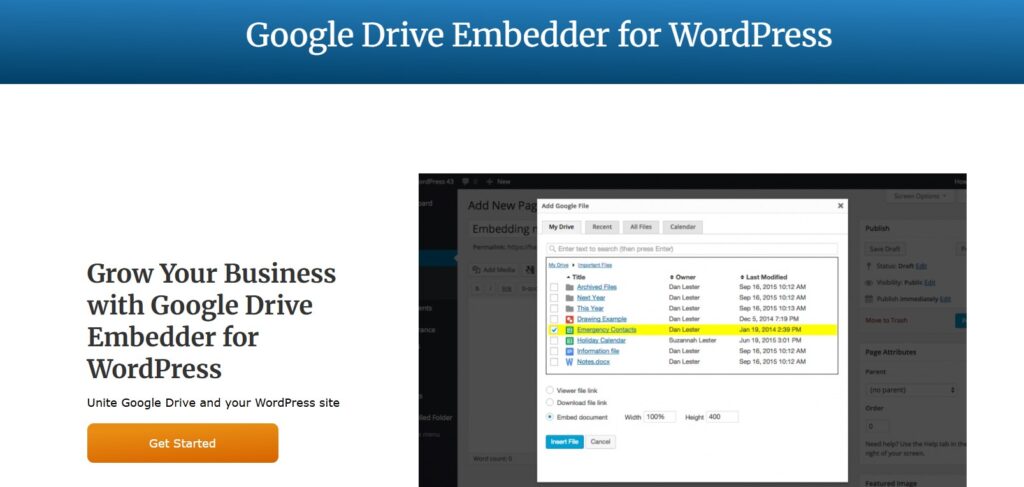
Google Drive Embedder is a lightweight plugin with one focus: embedding Drive documents into pages and posts. If you need to show a PDF, a spreadsheet, or a presentation on your site, this plugin handles it without extra features you do not need.
The free version supports individual file embedding. The premium version adds folder embedding. It is the most minimal option on this list, which is a feature in itself for sites that want to keep things simple.
Key features:
- Embed Drive files with a simple editor button
- Supports PDFs, Word documents, spreadsheets, and presentations
- Multisite compatible
- Folder embedding in the premium version
Best for: Sites that need to embed Google Drive PDFs in WordPress with the least setup possible.
Pricing: Free. Premium version is a $19 one-time payment.
6. UpdraftPlus (Best for Backing Up WordPress to Google Drive)
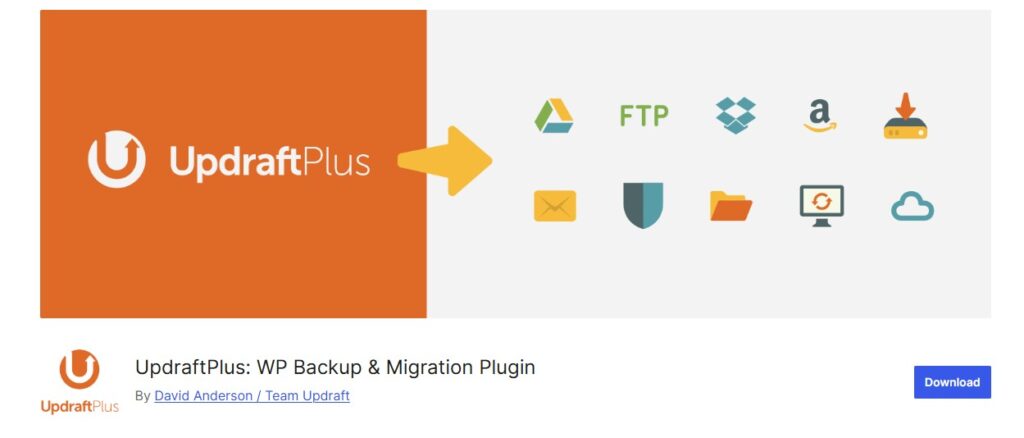
UpdraftPlus is the most popular WordPress backup plugin, with millions of active installs. It can store full site backups directly to Google Drive on a schedule you set. If your goal is protecting your site data rather than displaying files, this is the plugin to use.
The free version covers automated backups for most small sites. Premium adds more advanced scheduling, multisite support, and incremental backups for larger sites.
Key features:
- Automated backup scheduling (daily, weekly, or custom)
- Full backup of files, database, themes, and plugins
- One-click restore from a Drive backup
- Multiple remote storage destinations
- Encryption option for sensitive data
Best for: Any WordPress site that needs automatic, scheduled backups stored safely in Google Drive.
Pricing: Free. Premium starts at $70/year.
7. Integrate Google Drive

Integrate Google Drive is a popular plugin on WordPress.org with a large free feature set. It covers file browsing, gallery creation, media players, and WooCommerce digital downloads. It works for basic use cases but does not offer the file management, access controls, or visitor upload features you get with DriveHub.
Key features:
- Front-end file browser shortcode
- Photo galleries and media players from Drive folders
- WooCommerce integration for digital downloads
- Multi-language support
Pricing: Free. Pro version starts at $39/year.
Plugin Comparison at a Glance
Use this table to compare all seven plugins side by side before deciding.
| Plugin | Best For | Free? | Paid Price | Key Strength |
| DriveHub | All-in-one management | Yes | From $59/yr | Files stay in Google Drive |
| Use Your Drive | Premium media display | No | From $36/yr | Advanced gallery + streaming |
| EmbedPress | Multi-source embedding | Yes | From $39/yr | 150+ embed sources |
| Image + Video Gallery | Free Drive galleries | Yes | Free | Zero cost, easy setup |
| Google Drive Embedder | Simple doc embedding | Yes | $19 one-time | Minimal, focused |
| UpdraftPlus | Site backups to Drive | Yes | From $70/yr | Full backup + restore |
| Integrate Google Drive | File browsing + galleries | Yes | $29/yr | Wide feature set |
Which Google Drive Plugin Should You Choose?
The right plugin depends on what you need to do. Here is a quick decision guide for the most common use cases.
You need to embed documents or PDFs on your pages. Google Drive Embedder is the simplest option. For more control, styling, and viewer options, use DriveHub’s document embed module. It supports Docs, Sheets, Slides, and PDFs in one block.
You need photo or video galleries from a Drive folder. The free Image and Video Gallery plugin handles basic galleries well. DriveHub gives you more layout control, access restrictions, and a dedicated video player for embedding Google Drive videos in WordPress.
You need full file management from your WordPress dashboard. DriveHub is the only plugin on this list that lets you browse, upload, rename, move, and delete Drive files without leaving WordPress. For a step-by-step walkthrough, see our guide on how to integrate Google Drive with WordPress.
You want visitors to upload files directly to your Drive. DriveHub is the only plugin here with a front-end upload feature. It connects with Contact Form 7 to route file submissions straight to your Drive account. No other plugin on this list offers this.
You want to back up your WordPress site to Drive. UpdraftPlus is the clear choice. It is built specifically for backups, handles scheduling and encryption, and has a one-click restore process.
You embed content from many platforms, not just Drive. EmbedPress supports 150+ sources including Google Drive. It is a better fit than a dedicated Drive plugin when Google Drive is just one of several embed sources on your site.
Frequently Asked Questions
Is it safe to connect Google Drive to WordPress?
Yes, when the plugin uses OAuth authentication. OAuth lets you grant access to your Drive without sharing your Google password. The connection can be revoked from your Google account at any time. DriveHub and most modern Google Drive plugins use OAuth. Always check that a plugin is actively maintained and updated before installing.
Do Google Drive plugins store files on my server?
The best ones do not. Plugins like DriveHub stream files directly from Google Drive to your visitors. Files never land on your hosting account. This keeps your server storage lean and avoids hitting your hosting plan’s storage limits. Always check a plugin’s documentation before installing to confirm how it handles file storage.
Can I restrict who sees Google Drive files on my WordPress site?
Yes. DriveHub includes role-based and user-level access controls. You can restrict content to logged-in users, specific roles like subscribers or editors, or protect it with a password. This is useful for client portals, member areas, or gated content where not every visitor should see every file.
What is the difference between embedding and file management?
Embedding means displaying a file inline on a page, like a PDF viewer or a document preview. File management means browsing, uploading, renaming, and organizing files from your WordPress dashboard. Most plugins on this list do one or the other. DriveHub does both in the same install.
Can visitors upload files to Google Drive from my WordPress site?
Yes, with DriveHub. It supports front-end uploads via Contact Form 7 integration. When a visitor submits a form with a file attachment, the file goes directly into your Google Drive folder. This is a less common feature. No other plugin on this list offers it. For a full setup walkthrough, see our guide on integrating Google Drive with WordPress.
Do I need a paid Google account to use these plugins?
No. Every plugin on this list works with a free personal Google account. Google Drive gives 15 GB of free storage with every Google account (Google, 2026). That covers most small to medium sites. If your site has a large media library or you work with a team, Google One or Workspace plans offer more storage at different price points.
Should I use more than one Google Drive plugin at the same time?
You can, but it is rarely the right move. Conflicts are most common when two plugins try to handle OAuth authentication at the same time. In most cases, one all-in-one plugin is easier to manage than two or three single-purpose ones. DriveHub is designed to replace multiple dedicated plugins so you keep your install clean.
Conclusion
Connecting Google Drive to WordPress opens up a lot of options. You can embed documents, display galleries, manage files, accept uploads, and back up your site. The right plugin depends on which of those tasks you actually need.
For most WordPress site owners, DriveHub is the best starting point. It covers the most use cases in a single plugin. Files stay in Google Drive, setup is straightforward, and the free version is fully functional. If you also need site backups, add UpdraftPlus alongside it.
Ready to get started? Download DriveHub from WordPress.org or visit Sovlix.com to explore all features and pricing.