Best WordPress Booking Plugin: 6 Appointment Plugins Compared (2026)
Picking the best WordPress booking plugin comes down to four things: how easy it is to set up, whether it syncs with your calendar, whether it sends automatic reminders, and what it costs over time.
This guide compares six appointment booking WordPress plugins on those points. Each review lists core features, pricing, pros, and cons. Four of the six have 50,000 or more active installs on WordPress.org (WordPress.org, November 2026).
Pricing and plugin stats were checked on vendor pages and WordPress.org in November 2026.
Table of Contents
Best WordPress Booking Plugins at a Glance
| Plugin Name | Best For | Pricing Tier | Standout Feature |
| MeetingHub | Coaches, tutors, and consultants who book video calls | Free. Pro from $69/year | Zoom, Google Meet, Teams, Webex, and Jitsi all in the free version |
| Amelia | Businesses that run appointments and events together | Free Lite. Paid from $49/year | Events with QR code e-tickets and waiting lists |
| Bookly | Site owners who want a free start and a deep feature set | Free. Pro from $39/year | Recurring, group, and package bookings on one platform |
| LatePoint | Businesses that want clients to manage their own bookings | Free. Paid from $79/year (intro price) | Customer portal with every feature on every plan |
| Simply Schedule Appointments | Solo professionals who want quick setup | Free. Paid from $99/year (intro price) | Setup wizard and two-way Google Calendar sync |
| Booknetic | Service businesses with several locations | Limited free. Paid from $45/year (intro price) | Per-location staff, taxes, and reports |
Pricing note: Prices are from each vendor pricing page in November 2026. Several vendors show intro discounts that renew at the regular price. Check the vendor page before you buy.
What to Look for in an Appointment Booking Plugin
Use these checks to compare any booking plugin for WordPress:
- Ease of setup: Can you publish a booking form in under an hour without code?
- Calendar sync: Does it sync with Google Calendar or Outlook, and is that in the free version?
- Reminders: Does it send email, SMS, or WhatsApp reminders to cut no-shows?
- Payments: Does it take Stripe, PayPal, or WooCommerce payments, and on which plan?
- Video meetings: Can it add a Zoom, Google Meet, or Teams link to each booking?
- Staff and locations: Can it handle more than one team member or place?
- Price over time: Is the annual price an intro rate, and what is the renewal price?
1. MeetingHub: Best for Video Appointment Booking

Overview
MeetingHub is an appointment booking and scheduling plugin from Sovlix. Clients pick a time from your open slots, and each booking can get a video meeting link automatically.
Most booking plugins treat video as an add-on. MeetingHub starts with it. The free version supports Zoom, Google Meet, Microsoft Teams, Webex, and Jitsi Meet. Jitsi needs no account, so you can offer free video calls with no outside setup.
Core Features
- Booking page: Get a personal page at /booking/your-link/ or embed the form with a shortcode.
- Availability controls: Set weekly hours, days off, buffers, minimum notice, a booking window, and slot spacing.
- No double bookings: Database-level protection stops two people from taking the same slot.
- Time zones: Visitors see slots in their own time zone.
- Self-service changes: Clients get reschedule and cancel links.
- Reminders and calendar files: Send a reminder email from one hour to one week ahead. Every confirmation includes an .ics file for Google, Outlook, and Apple Calendar.
- Admin tools: Export bookings to a spreadsheet, check an email log, and view a dashboard with stats.
- Calendly import: Bring in your Calendly event types and working hours.
- Pro extras: Recurring meetings and webinars, selling meetings with WooCommerce, LMS and booking integrations, and white labeling on 5-site and 100-site plans.
Pricing
The free version covers core booking and all five video platforms, with no cap on booking pages, appointments, or meetings (WordPress.org, November 2026).
Pro plans differ only by site count. 1 site is $69/year or $179 lifetime. 5 sites is $99/year or $279 lifetime. 100 sites is $199/year or $499 lifetime. All Pro plans have a 7-day refund window and no per-seat fees. See MeetingHub pricing for details.
Pros and Cons
Pros
- All five video platforms are in the free version
- No caps on booking pages, appointments, or meetings
- Built-in double-booking protection and reschedule links
- Calendly import makes switching easy
- No per-seat fees on any plan
Cons
- Smaller user base than the older plugins here (300+ installs, 12 to 13 reviews)
- The free version sends one reminder email and does not list staff, multi-location, or payment features
- Google Meet needs PHP 8.1 or later
2. Amelia: Best for Appointments and Events Together
Overview
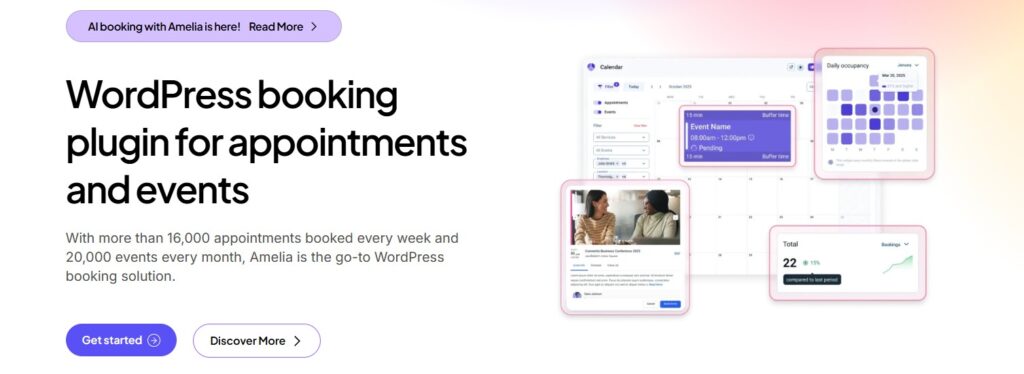
Amelia handles one-on-one appointments and group events in one plugin. It has 90,000+ active installs and a 4.6/5 rating on WordPress.org (November 2026). The booking form runs as a step-by-step wizard with buffer times.
Core Features
- Appointments and events: Single-day and multi-day events sit next to regular services.
- E-tickets and waiting lists: Sell event tickets with QR codes and run a waiting list.
- Calendar and meetings: Calendar and meeting sync, plus Zoom and Google Meet links, arrive on paid plans.
- Payments: Free Lite takes Square payments. Stripe, PayPal, and WooCommerce need a paid plan.
- Notifications: Email and SMS confirmations, with WhatsApp on paid plans.
- Builders: Works with Gutenberg, Elementor, and Divi.
Pricing
Amelia Lite is free. Paid plans start around $49/year for Starter (Zapier, 2026). Amelia lists Pro at $149/year and Elite at $259/year on its pricing page, shown as discounted prices. A 15-day money-back guarantee applies.
Pros and Cons
Pros
- Handles appointments and events in one tool
- QR code e-tickets and waiting lists
- Large user base and active updates
- Dashboard shows revenue and occupancy
Cons
- Lite has no reminders, unlimited employees, or multilingual support
- Stripe and PayPal need a paid plan above the entry tier
- The mobile app is limited to the top plan
3. Bookly: Best for a Free Start With Room to Grow
Overview
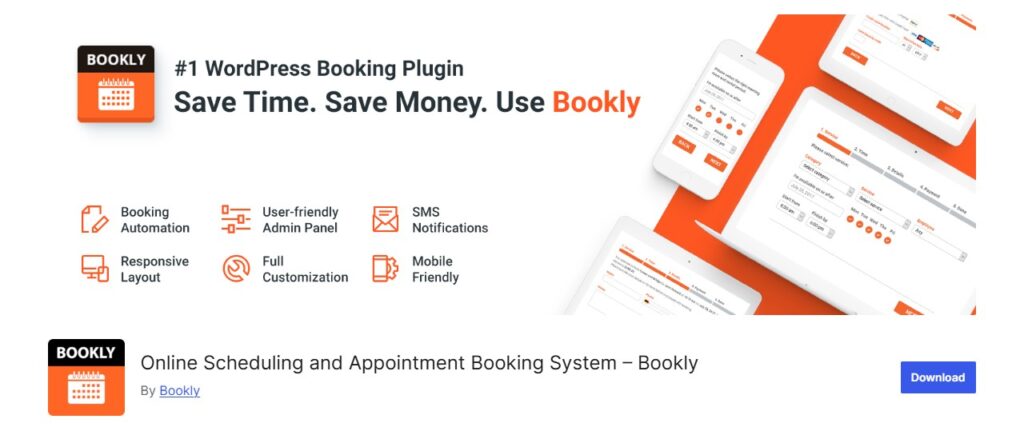
Bookly is one of the longest-running booking plugins for WordPress. It launched in 2014 (Zapier, 2026). The free plugin has 60,000+ active installs and a 4.4/5 rating on WordPress.org (November 2026).
Core Features
- Booking form: A responsive form you can restyle with no code, with unlimited forms on your site.
- Admin calendar: Monthly, weekly, and daily views plus a searchable booking list.
- Paid plan features: Unlimited services and staff, Stripe and PayPal, Google Calendar sync, Zoom or Meet meetings, recurring and group bookings, deposits, and WooCommerce support (Bookly pricing page, November 2026).
- Notifications: Email and SMS settings are in the free version. WhatsApp is on paid plans.
- Languages: WPML support for multi-language sites.
Pricing
Bookly is free. Pro is $39/year or $99 lifetime for 1 site. Business is $69/year for 1 site or $129/year for 5 sites. Ultimate is $159/year for 1 site, with 20-site and 100-site options. Paid plans have a 30-day money-back guarantee and no free trial.
Pros and Cons
Pros
- Low entry price among paid plans
- Lifetime licenses are available
- Long track record and large install base
- Wide feature set, including packages and waiting lists
Cons
- The free version allows only five services and no online payments
- Lowest WordPress.org rating in this list (4.4/5)
- The wide feature set can take time to configure
4. LatePoint: Best for Client Self-Service
Overview
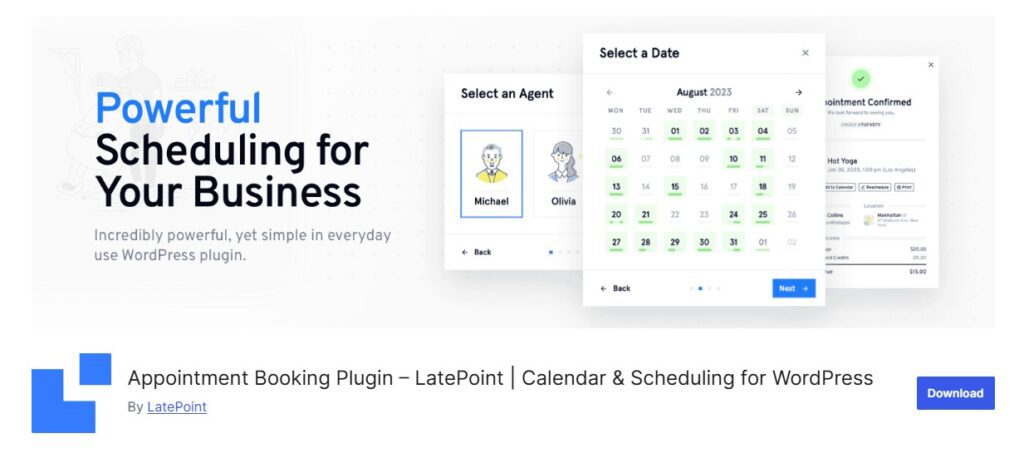
LatePoint focuses on a clean booking flow and a customer portal. It has 100,000+ active installs and a 4.9/5 rating on WordPress.org (November 2026), the top rating among the plugins with a free listing here.
Core Features
- Booking wizard: A multi-step form, instant booking forms, and custom schedules and holidays.
- Events: Create events with capacity and pricing in the free version.
- Payments: Stripe, PayPal, and Razorpay are in the free version. Paid plans add Square, deposits, taxes, and invoicing.
- Reminders: Free is email only. Paid plans add SMS and WhatsApp.
- Calendars and video: Paid plans sync with Google, Outlook, and Apple Calendar, and add Zoom and Google Meet.
- Customer portal: Clients can view, manage, and pay for bookings themselves.
- Workflows: Automations, webhooks, coupons, and packages on paid plans.
Pricing
The free version is on WordPress.org. Paid plans have the same features on every tier and differ by site count. Starter is $79/year for 1 site, Scale is $149/year for 5 sites, and Agency is $299/year for 100 sites. These are intro prices. Regular prices are $99, $249, and $499. Lifetime plans are $199, $399, and $599. A 14-day money-back guarantee applies to the first purchase.
Pros and Cons
Pros
- Highest WordPress.org rating in this list
- Stripe and PayPal payments in the free version
- Every paid feature is on every plan
- Customer portal cuts support emails
Cons
- The free version supports one location and email reminders only
- Intro prices renew at the regular rate
- Event tools are lighter than Amelia
5. Simply Schedule Appointments: Best for Solo Professionals
Overview
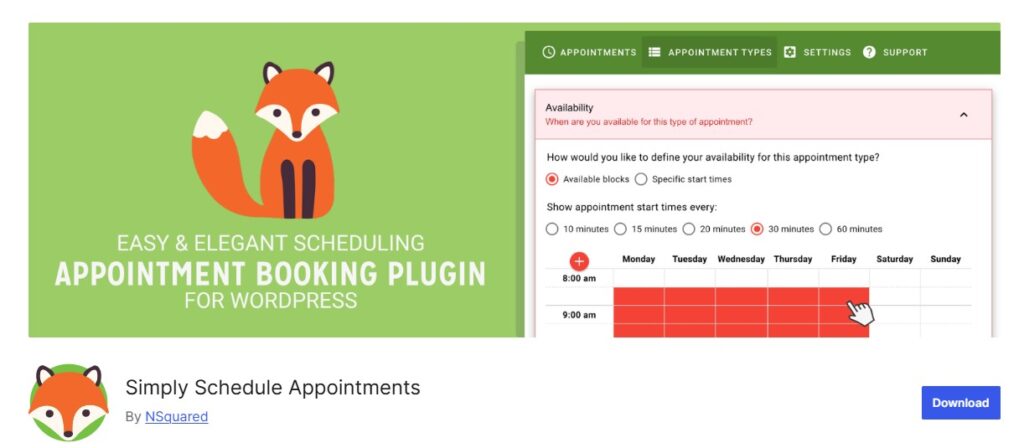
Simply Schedule Appointments (SSA) is built for people who book their own time. It has 50,000+ active installs and a 5/5 rating from 155 reviews on WordPress.org (November 2026). A setup wizard gets a first calendar live fast.
Core Features
- Free Basic edition: Unlimited appointment types, blackout dates, custom notifications, and no limit on bookings.
- Embeds: Use the block editor, Elementor, Beaver Builder, or Divi.
- Plus plan: Google Calendar, Zoom and Google Meet, group and class booking, custom form fields, and premium support.
- Professional plan: SMS reminders, Stripe and PayPal payments, webhooks, and Google Analytics tracking.
- Business plan: Team member scheduling, multiple resources, and an onboarding call.
Pricing
The Basic edition is free. Intro prices per year are Plus $99, Professional $199, and Business $399. Regular prices are $129, $249, and $499. Each plan covers 1 site. Renewals are charged at the regular price. No lifetime plan is listed.
Pros and Cons
Pros
- Generous free edition with unlimited appointment types
- Fast setup with a guided wizard
- 5/5 rating on WordPress.org
- Zoom and Google Meet on the Plus plan
Cons
- Payments need the Professional plan
- Team scheduling needs the Business plan
- Prices climb quickly across tiers
6. Booknetic: Best for Multi-Location Service Businesses
Overview
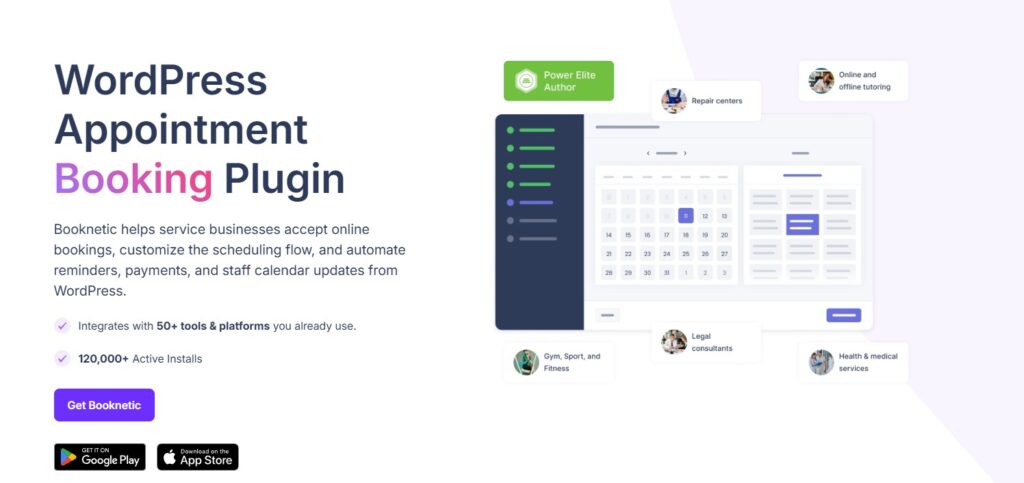
Booknetic is built for businesses that run several locations, such as salons, clinics, and studios. It is sold on booknetic.com and does not have a full free listing on WordPress.org. A limited free version is available on its site.
Core Features
- Basic plan: Core booking, recurring appointments, workflow automation, email notifications, and multiple locations. Payments are local only.
- Standard plan: Adds Stripe, PayPal, and WooCommerce payments, custom forms, a customer panel, Google Calendar, reports, and a mobile app.
- Premium plan: Adds invoices and taxes, custom durations, coupons, Zoom, Google Meet, Teams, and webhooks.
- Elite plan: Adds SMS, WhatsApp, and Telegram messages, premium support, and the full add-on library.
Pricing
Intro prices per year: Basic $45, Standard $99, Premium $149, and Elite $299. Regular prices are $89, $199, $399, and $599. Lifetime plans start at $99. Plans cover from 1 domain to unlimited domains. Prices exclude VAT. A 14-day money-back guarantee applies (WP Remote, 2026).
Pros and Cons
Pros
- Multiple locations, even on the Basic plan
- Per-location staff, taxes, and reports
- Low entry price and lifetime options
- Large add-on library on higher plans
Cons
- Google Calendar and major payment gateways need the Standard plan or higher
- Video meetings need Premium and SMS needs Elite
- Free version is limited and not listed on WordPress.org
WordPress.org Install Counts and Ratings
Install counts and ratings help show how widely a plugin is used. Here are the figures from each WordPress.org listing in November 2026.
| Plugin | Active Installs | WP.org Rating | Free Version Highlights |
| LatePoint | 100,000+ | 4.9 / 5 | Events, Stripe, PayPal, and Razorpay payments, customer dashboard |
| Amelia | 90,000+ | 4.6 / 5 | Appointments and events, Square payments, double-booking prevention |
| Bookly | 60,000+ | 4.4 / 5 | Responsive booking form, calendar view, up to five services |
| Simply Schedule Appointments | 50,000+ | 5.0 / 5 | Unlimited appointment types and bookings, blackout dates |
| MeetingHub | 300+ | 4.8 / 5 | Booking pages, five video platforms, reschedule links, Calendly import |
| Booknetic | Not listed on WordPress.org | Not available | Limited free version on booknetic.com |
A larger install base means more reviews and community answers. It does not by itself mean a better fit for your business.
How to Choose the Best WordPress Booking Plugin
Match the plugin to your business type first, then check pricing.
| Business Type | Best Pick | Why |
| Solo freelancer or consultant | Simply Schedule Appointments or MeetingHub | Fast setup, free starting tiers, and calendar links for one person |
| Coach, tutor, or online instructor | MeetingHub | Zoom, Google Meet, Teams, Webex, and Jitsi links are in the free version |
| Multi-staff salon or clinic | Booknetic or Bookly | Staff schedules, reminders, and multiple locations |
| Business with workshops or classes | Amelia | Events, QR e-tickets, and waiting lists |
| Business that wants fewer support emails | LatePoint | Customer portal for rescheduling and payment |
| Small budget or testing first | Bookly, LatePoint, or MeetingHub | Free versions with real booking features |
| Agency building for many clients | LatePoint or MeetingHub | Multi-site plans, including 100-site options |
A simple way to decide:
- List must-have features: payments, SMS reminders, video links, staff, or locations.
- Check which plan includes each one. Many plugins lock key features to higher tiers.
- Install the free version on a staging site and book a test appointment.
- Compare the renewal price, not just the intro price.
Booking Plus Video: Where MeetingHub Fits
If your appointments happen on video, the booking plugin and the meeting tool should work together. MeetingHub joins both. A client books a slot and gets the meeting link in the confirmation.
To go deeper on each platform, read the guides on the best WordPress meeting plugins, the best Zoom plugin for WordPress, how to integrate Google Meet with WordPress, and how to add Webex meetings to WordPress. You can also see how it stacks up in the MeetingHub comparison. For live classes on Google Meet, see GoodMeet.
Frequently Asked Questions
What is the best free WordPress booking plugin?
It depends on what you need free. LatePoint offers Stripe and PayPal payments in its free version. Simply Schedule Appointments offers unlimited appointment types. MeetingHub offers five video platforms in its free version. Bookly and Amelia have free versions with limits on services, reminders, or payments.
What is the best WordPress appointment booking plugin for a solo professional?
Simply Schedule Appointments and MeetingHub suit solo professionals. Both have free versions and fast setup. Choose MeetingHub if your calls happen on video. Choose Simply Schedule Appointments if you want paid upgrades for Stripe or SMS later.
Can a WordPress booking plugin take payments?
Yes, but the plan matters. LatePoint takes Stripe and PayPal in its free version. Amelia Lite takes Square. Simply Schedule Appointments needs the Professional plan. Booknetic needs the Standard plan for Stripe and PayPal. Bookly free has no online payments. MeetingHub Pro sells meetings through WooCommerce.
Which booking plugins support Zoom and Google Meet?
MeetingHub supports Zoom, Google Meet, Microsoft Teams, Webex, and Jitsi in the free version. Simply Schedule Appointments supports Zoom and Google Meet on Plus. LatePoint supports both on paid plans. Booknetic adds Zoom, Meet, and Teams on Premium. Bookly lists Zoom or Meet on paid plans.
Do I need a booking plugin, or is a contact form enough?
A form collects requests, but you still reply and agree on a time by hand. A booking plugin shows live availability, blocks double bookings, sends reminders, and adds the event to a calendar. If you book more than a few appointments a week, a plugin saves time.
How much does a WordPress booking plugin cost?
Most have a free version. Paid plans in this list start between $39 and $99 per year for one site (vendor pricing pages, November 2026). Lifetime licenses are available for Bookly, LatePoint, Booknetic, and MeetingHub.
Conclusion
The best WordPress booking plugin is the one that fits how you take bookings. Amelia fits events. Bookly gives a wide feature set. LatePoint gives clients a self-service portal. Simply Schedule Appointments keeps solo setups simple. Booknetic suits multi-location businesses.
If your appointments run on video calls, start with MeetingHub. The free version includes Zoom, Google Meet, Microsoft Teams, Webex, and Jitsi, with no caps on bookings.
Explore MeetingHub Pro at sovlix.com/meetinghub